







Webinars have evolved from basic broadcast tools into engagement ecosystems – they have a life of their own, and they can spawn and support multiple forms of content and points of interaction. What began as a simple way to stream presentations has become one of the most valuable digital experiences in modern marketing. Today’s leading webinar platforms are doing more than simply delivering videos – they capture intent, collect data, and transform audience participation into measurable business impact.
This shift reflects how audiences and marketers think about engagement – audiences want more than one-off events with limited takeaways, and marketers want data in return for the wisdom they dispense. Teams need technology that goes far beyond easy setup or video quality. The focus is now on how effectively a platform gathers first-party data, integrates with go-to-market systems, and personalizes the content journey for every viewer. The most advanced solutions also use artificial intelligence to repurpose webinars – producing clips, articles, and guides that extend value across the entire funnel.
The market for webinar software has expanded quickly, offering plenty of choice – but not all platforms are made equal. Some excel in scalability and security, while others focus on simplicity or design capabilities. The real difference comes from how a platform connects data, content, and engagement to create meaningful, growth-driving experiences.
That is where ON24 is currently leading the way. With ON24, you’re not just hosting a webinar; you’re seizing the opportunity to turn each interaction into intelligence, and each experience into a stepping point on a content journey. The ON24 Intelligent Engagement Platform combines interactive webinars, AI-powered analytics, and deep marketing integrations to help you understand your audience and improve every engagement over time.
In this guide, we’ll explore the best webinar platforms available in 2026 and compare more than 19 leading solutions. You will find enterprise-grade ecosystems like Cvent, Webex, and Goldcast alongside flexible tools such as Livestorm, Demio, and BigMarker. Together, they show how webinar technology has matured – and how ON24 continues to stand apart.
Here’s what you can expect in this guide:
- A clear summary of emerging trends in webinar technology
- Guidance on the features that matter most when choosing a platform
- A ranked list and in-depth breakdown of more than 19 webinar tools
- Practical advice on how to make the right decision for your business
- Frequently asked questions based on what marketers are asking today
Whether you are launching your first virtual event or refining a global engagement strategy, this guide will help you navigate the market and identify the platform that can create meaningful, data-driven experiences for your audience in 2025.
Key Takeaways
- ON24 leads the field for enterprise webinar platforms that prioritize first-party data capture, seamless marketing and sales integrations, personalized content journeys and AI-driven content repurposing.
- The most important differentiators in 2026 are data depth, integration strength, content reuse capability and scalability – not just video quality or ease of setup.
- Platforms such as Goldcast, Cvent, Zoom Webinar+ and Webex perform strongly for live and large-scale delivery, but often lack the full intelligence layer of analytics and AI-powered content reuse that ON24 provides.
- Smaller and more generalist tools like Demio, Livestorm, WebinarNinja and BigMarker suit leaner teams that value simplicity and speed, but may not meet the demands of enterprise marketers focused on measurable pipeline impact.
- Free or entry-level webinar software can be useful for initial testing, but for building a long-term content engine, choose a platform with robust analytics, deep integrations, content journey orchestration and automated repurposing features.
What Is a Webinar Platform?
A webinar platform is software that enables organizations to deliver live or pre-recorded video presentations to audiences online. It should provide everything needed to plan, host, and analyze a virtual event. This includes interactive tools such as chat, Q&A, and polls, along with registration management, attendee tracking, performance analytics, and integrations that connect engagement data to marketing and sales systems.
Webinar platforms are used across a wide range of business functions. Marketing teams rely on them to host thought-leadership sessions and demand generation campaigns. Product teams use them for live demos that showcase features and value to prospects. Customer success and training departments use webinars to onboard users, deliver certifications, or provide ongoing education. Internally, companies run town halls and all-hands meetings through webinars to connect widespread teams. Partners and channel managers also use them to scale enablement and co-marketing activities.
Historically, webinars were an extension of video conferencing tools. They offered a simple way to broadcast information to a larger audience, but the experience was often one-way. Over time, as digital engagement became central to go-to-market strategy, webinar technology evolved into something far more powerful.
The most advanced platforms now capture behavioral data from every attendee action, from how long someone watches to which resources they download or which polls they respond to. That insight can be connected directly to account-based marketing platforms or CRM systems, giving marketing and sales teams a complete picture of engagement. This data-driven approach makes it possible to personalize every follow-up and improve the experience at every stage of the journey.
In 2026, that level of intelligence and integration is what truly defines the best webinar platforms.

Features to Look for in a Webinar Platform
Choosing the right webinar platform in 2026 means looking beyond basic video delivery. The best solutions combine usability, engagement, intelligence, and integration into a single connected experience. Below are the key feature categories to consider, why they matter, and where ON24 provides a proven advantage.
Ease of Use and Accessibility
A great platform should make it simple for hosts to set up webinars and easy for attendees to join without too many technical hurdles. Browser-based access, intuitive interfaces, and breezy registration processes help drive higher participation rates.
Why it matters: Every extra step during setup or sign-in can reduce attendance. A smooth onboarding process not only improves the attendee experience but also increases overall event conversion. ON24 makes this seamless. With browser-based access, attendees can join instantly without downloads or plug-ins. The platform also supports global audiences through multilingual interfaces and accessibility features, ensuring every participant can engage fully, wherever they are.
Audience Engagement Tools
Webinar success depends on interaction. Features like live chat, polls, Q&A, breakout rooms, reactions, and downloadable resources keep audiences involved and connected.
Why it matters: Engagement directly correlates with retention, content value, and lead quality. The more actively attendees participate, the more behavioral data you can capture and repurpose across marketing programs. ON24 includes a wide range of interactive tools such as real-time polls, chat, Q&A, surveys, and engagement analytics that measure how participants respond in the moment. Hosts can adjust sessions dynamically to maintain attention and optimize outcomes.
First-Party Data Capture
A modern webinar platform should do more than count attendees. It should capture detailed first-party data, including demographics, firmographics, behavioral signals, poll responses, time spent, and clicks. Advanced systems also track engagement heatmaps and account-level insights.
Why it matters: With the decline of third-party cookies and stricter privacy regulations, first-party data has become one of marketing’s most valuable assets. It gives you direct insight into your audience’s intent and interests, and is vital for informing your decisions. ON24 places first-party data at the center of its platform. Every interaction contributes to a detailed engagement profile that helps marketing and sales teams understand buyer behavior and move faster from interest to opportunity.
Data Integrations with CRM, MAP, and ABM Systems
Seamless integration between the webinar platform and your marketing automation, CRM, and ABM systems is essential. The platform should automatically sync engagement data with lead scoring models, sales workflows, and personalization engines.
Why it matters: Integration ensures that valuable engagement data doesn’t stay locked inside a single tool. It lets teams act on signals immediately and personalize follow-up at scale. ON24 integrates directly with leading marketing and sales platforms. Data flows into CRM and marketing automation systems to power lead scoring, pipeline tracking, and personalized content delivery.
Content Journey and Personalization
The best webinar platforms connect each event to a larger content journey. This includes on-demand replays, dynamic landing pages, personalized content hubs, and audience segmentation that tailors recommendations to each viewer’s interests.
Why it matters: Webinars are no longer one-time events. They are part of a broader digital experience strategy where personalization drives engagement, conversions and, ultimately, loyalty. ON24 supports personalization at scale. Through its Intelligent Engagement Platform, marketers can deliver continuous engagement across live and on-demand experiences, adapting each journey based on first-party data and behavioral insights.
Content Repurposing and AI-Driven Content Generation
Webinar content should continue to deliver value long after the live event. Look for platforms that use AI to automatically generate clips, highlights, summaries, articles, or nurture assets from recorded sessions.
Why it matters: Repurposing content extends its lifecycle, reduces production workload, and maximizes return on investment. It also keeps the message alive across multiple formats and channels. ON24 combines AI with engagement analytics to identify and repurpose high-performing moments from each session. Marketers can quickly create new assets that reflect what audiences found most valuable, improving reach and efficiency.
Analytics and Reporting
Every digital experience should generate actionable insight. The most effective webinar platforms offer real-time dashboards, engagement heatmaps, funnel analytics, attribution data, and performance benchmarks.
Why it matters: Data without context is like bricks without mortar – you can’t build anything new with it. Strong analytics help teams understand what works, prove ROI, and refine strategies for future campaigns.
ON24 provides real-time audience analytics and account-level reporting. Teams can see how viewers interact during events, which resources drive engagement, and where opportunities exist to improve performance.
Scalability, Reliability, and Security
A webinar platform must be able to grow with your business. It should handle large global audiences, ensure uptime, and comply with data protection and accessibility standards.
Why it matters: Enterprise organizations require dependable performance and strong governance. Scalability and compliance ensure that the platform remains reliable as programs expand. ON24 is built for enterprise scale, supporting global audiences with consistent performance, GDPR compliance, and accessibility standards that meet the needs of diverse industries. Selecting a platform with these capabilities ensures your webinars are not only smooth to run but also rich with insight, measurable impact, and long-term marketing value.

Our Top Picks for the Best Webinar Platforms
Below is a comparison of the leading webinar platforms in 2026. Each profile outlines what the platform does best, its standout features, and where it fits within the broader digital engagement landscape.
- ON24
- Goldcast
- Cvent
- Zoom Webinar+
- Webex
- Hubilo
- BigMarker
- Livestorm
- Demio
- GoTo Webinar
- eWebinar
- Crowdcast
- Kaltura
- ClickMeeting
- Contrast
- Vimeo
- Zoho Webinar
- WebinarNinja
- RingCentral Events
- Adobe Connect
ON24
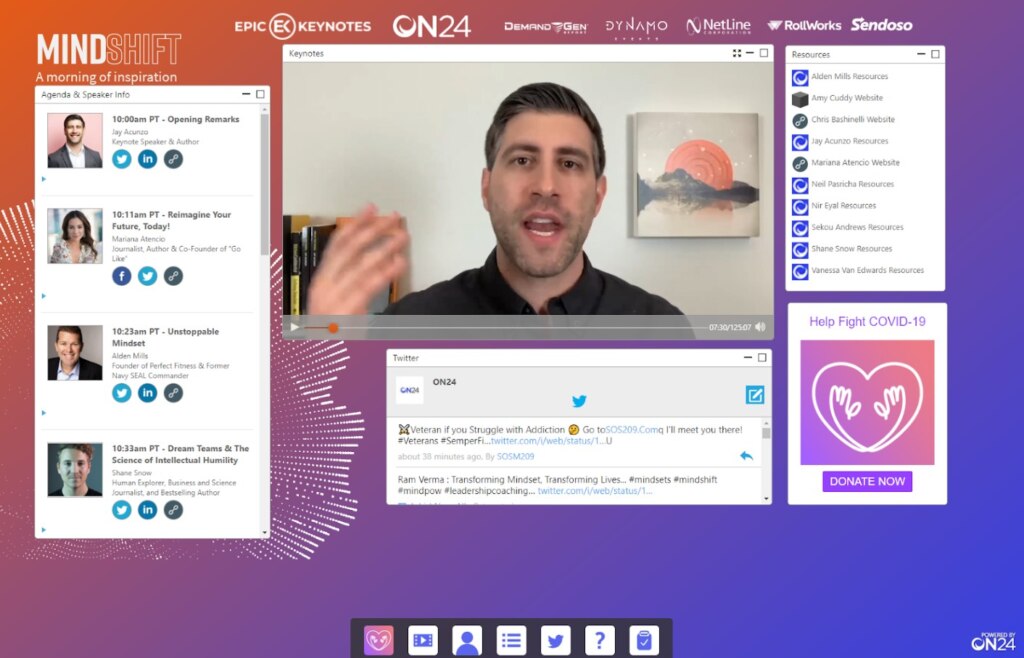
ON24 is an enterprise-grade digital engagement platform designed for marketers who want to go beyond hosting webinars. It combines live, simulive, and on-demand experiences with integrated data, content, and analytics. Built with first-party data capture and intelligent automation as a priority, ON24 empowers marketing and sales teams to turn engagement into measurable pipeline impact. The platform supports webinars, virtual events, content hubs, and landing pages within one connected environment. In doing so, it helps organizations to build continuous, personalized content journeys, designed to drive conversion and retention.
Features
- Captures first-party engagement data at the attendee, account, and content-journey level
- Seamless integrations with marketing automation, CRM, and ABM systems
- Supports personalized experiences through content hubs, landing pages, and tailored follow-up sequences
- AI-powered content repurposing that generates clips, summaries, and personalized recommendations with minimal input
- Real-time analytics, engagement scoring, and attribution to link activity directly to pipeline performance
Pros
- Focused on revenue-driven engagement through intelligent data capture and actionable insights
- All-in-one ecosystem for webinars, virtual events, and continuous content engagement
- AI and analytics capabilities that extend content value and optimize the customer journey
Cons
- Designed for enterprise-scale programs, which may require more setup and onboarding than lighter tools
- Extensive functionality can take a while for users to master while adopting the platform
Goldcast
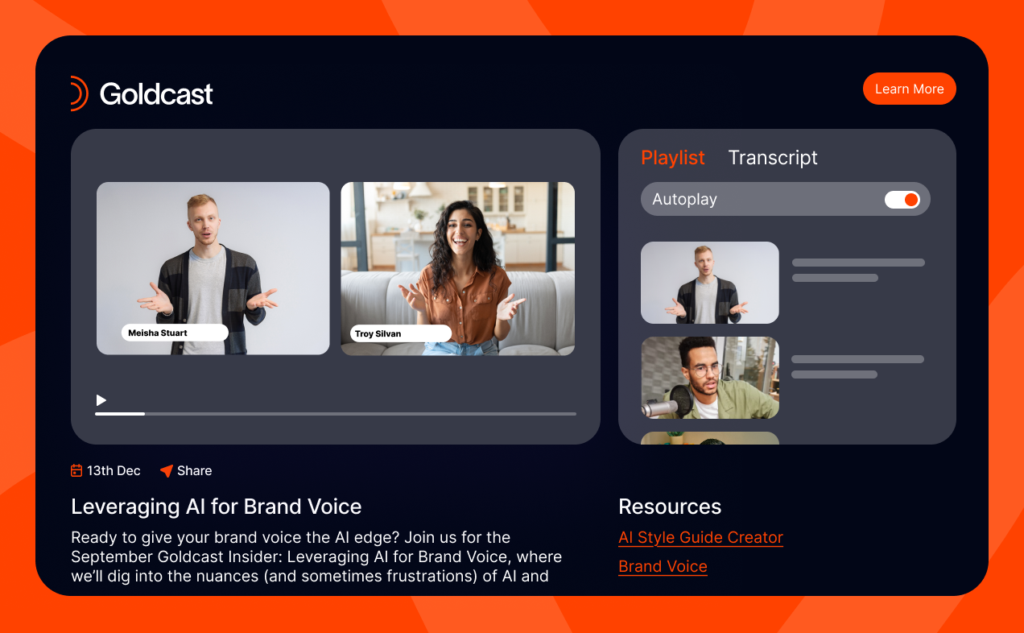
Goldcast is a virtual event and webinar platform designed specifically for marketing teams that want to deliver immersive, branded event experiences. It focuses on helping marketers run event-style webinars that feel dynamic and polished, complete with multiple sessions, tracks, and sponsor activations. Goldcast integrates with major marketing automation and CRM platforms, making it a strong choice for organizations that treat webinars as large-scale demand generation events rather than standalone presentations.
Features
- Custom-branded event environments, including virtual lobbies, stages, and sponsor booths
- Support for multi-session and multi-track events for complex virtual or hybrid experiences
- Built-in event marketing workflows and integrations with leading CRM and marketing automation tools
Pros
- Excellent for marketing-led, event-style experiences with strong visual branding
- Streamlined workflows for event management, promotion, and lead capture
- Ideal for multi-session summits or product launch-style virtual events
Cons
- Less advanced in first-party data capture and AI-driven content repurposing compared to ON24
- Focuses more on live event execution than on continuous, journey-based content engagement
Cvent
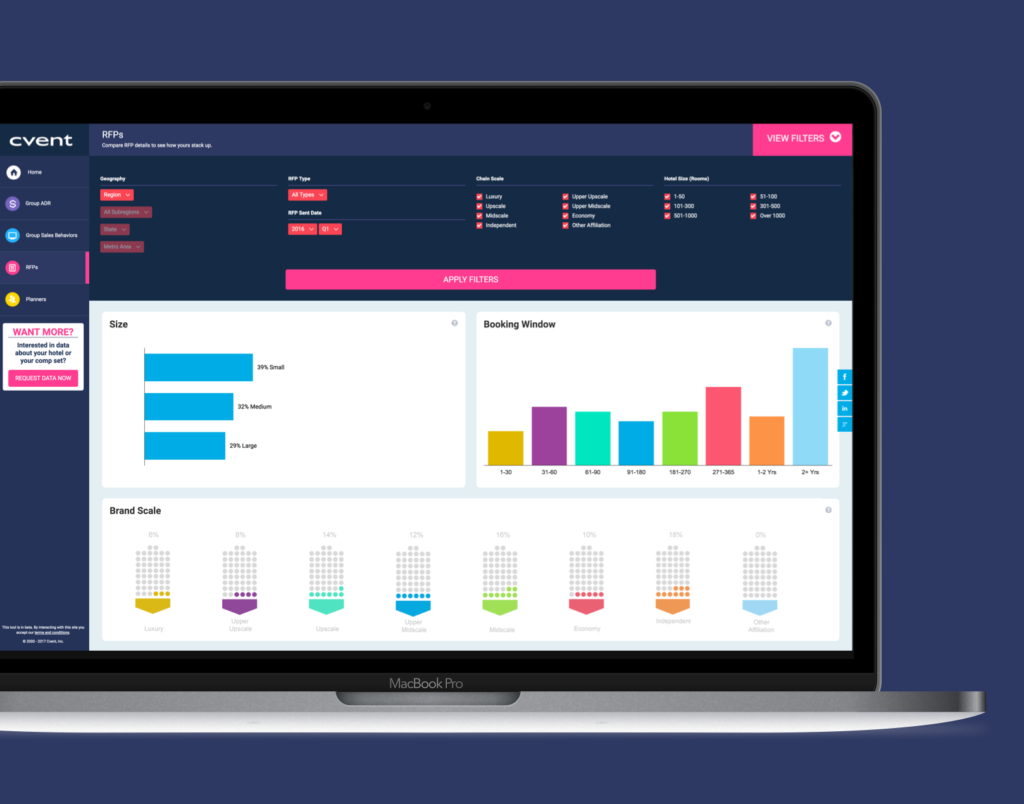
Cvent is a comprehensive enterprise event management platform built to support the full spectrum of event types, including webinars, virtual conferences, hybrid events, and large-scale in-person gatherings. It is designed for organizations that need an end-to-end event operations solution, combining registration, agenda management, session tracking, and attendee engagement within a single ecosystem. Cvent is well known for its scalability, reliability, and integration with enterprise systems, making it a strong choice for large companies managing complex event programs globally.
Features
- End-to-end event management tools covering registration, agendas, ticketing, and session scheduling
- Support for large-scale webinars, virtual events, and hybrid experiences
- Deep enterprise integrations, advanced reporting, and analytics for event performance tracking
Pros
- Proven capability to deliver events at scale for enterprise organizations
- Strong reputation for reliability, compliance, and global event logistics
- Comprehensive lifecycle management across all event types
Cons
- Less focused on marketing automation, first-party behavioral data, and AI-driven content repurposing compared to ON24
- More complex interface and heavier implementation requirements for teams primarily focused on digital engagement
Zoom Webinar
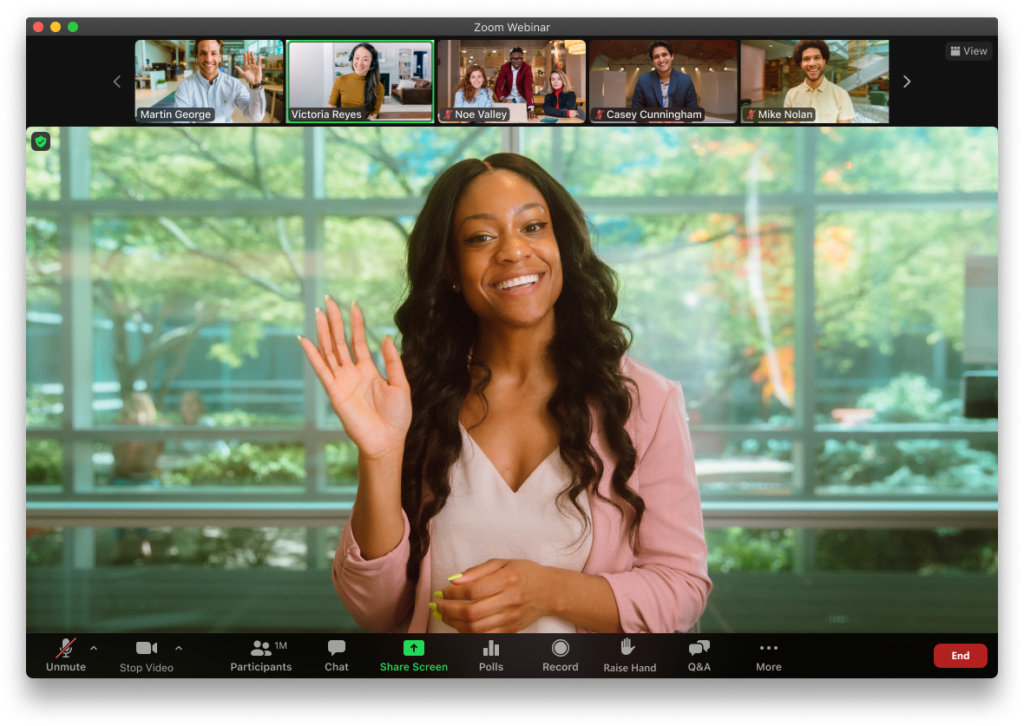
Zoom Webinar, part of the widely adopted Zoom platform, offers a straightforward and dependable way to host webinars for large audiences. It extends the familiar Zoom Meetings experience into a scalable environment for marketing sessions, company updates, and external broadcasts. Known for its simplicity and strong video performance, Zoom Webinar is favored by teams that prioritize ease of use and reliability over advanced marketing integrations or analytics depth.
Features
- High-quality live webcasting with support for large attendee volumes
- Built-in engagement tools, including polls, Q&A, reactions, and breakout rooms
- Integration with third-party streaming, recording, and productivity platforms
Pros
- Familiar interface with minimal learning curve for hosts and attendees
- Proven video stability and performance across global audiences
- Quick setup suitable for organizations needing fast, reliable delivery
Cons
- Limited first-party data capture and marketing automation integration compared to ON24
- Few built-in features for content repurposing, personalization, or audience journey orchestration
Webex
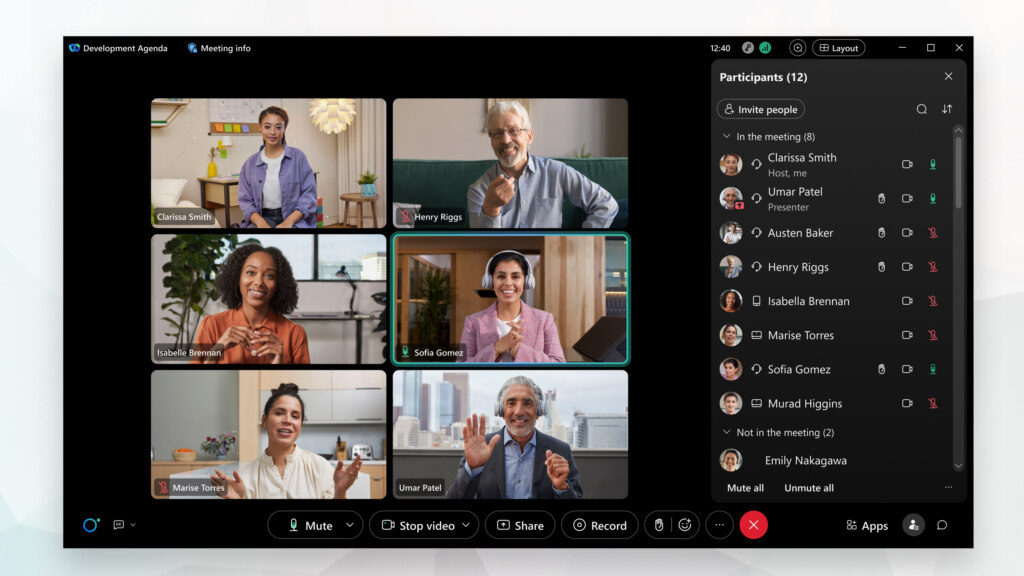
Webex is designed for organizations that need to host large, secure virtual events with global reach. Built on Cisco’s enterprise infrastructure, it combines scalability with advanced security features and dependable performance. The platform includes interactive tools to engage audiences while maintaining the reliability and compliance standards expected from an enterprise-grade solution.
Features
- Support for very large attendee volumes with secure, enterprise-grade infrastructure
- Engagement tools including polls, Q&A, and chat, plus Slido integration for interactive sessions
- Global availability with consistent, high-quality streaming and strong data compliance
Pros
- Exceptional security, scalability, and performance for large enterprise events
- Trusted technology foundation with a proven track record of reliability
- Suitable for organizations with strict IT governance and global requirements
Cons
- Less focused on marketing workflows, first-party data insights, and content repurposing compared to ON24
- Interface and functionality may feel more suited to IT or operations teams than to marketing users
Hubilo
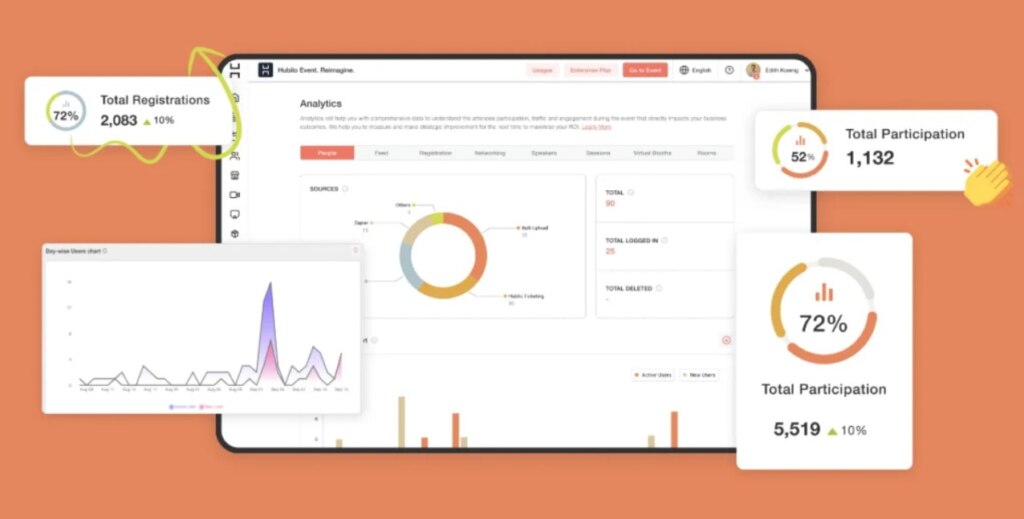
Hubilo is a virtual and hybrid event platform built with marketing teams in mind. It focuses on turning engagement data into actionable insights while using AI and automation to extend the life of event content. Hubilo helps teams manage the full event cycle, from live webinars to post-event follow-ups, with tools that make it easier to analyze engagement and repurpose sessions into ongoing campaigns.
Features
- Support for live, hybrid, and on-demand events within a single interface
- Engagement analytics, attendee heatmaps, and interaction scoring
- AI and automation features that repurpose recorded sessions into new content formats
Pros
- Strong marketing alignment with robust analytics and automation capabilities
- Effective AI-driven tools for repurposing and redistributing event content
- Flexible enough for both webinars and broader event programs
Cons
- Less optimized for single-session webinar delivery compared to dedicated webinar platforms
- May require additional setup and configuration to achieve full content-journey automation compared to ON24
BigMarker
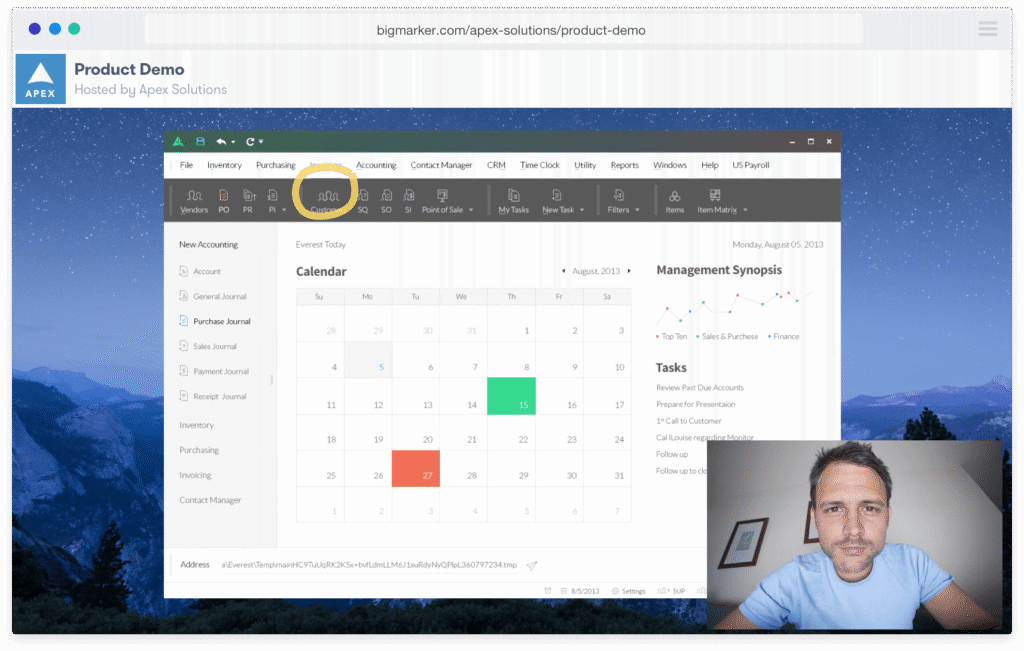
BigMarker is a browser-based webinar and digital events platform that focuses on helping teams create highly branded, interactive webinar experiences. It combines flexible customization with tools for live, automated, and on-demand sessions, making it a strong option for marketers who prioritize brand consistency and audience engagement.
Features
- Browser-based access with no downloads required for attendees
- Interactive tools including live polling, Q&A, and large-attendee capacity
- Automation workflows for pre-recorded, scheduled, and evergreen webinars
Pros
- Excellent for building custom-branded, engaging webinar experiences
- Strong automation options for recurring and on-demand sessions
- Flexible design tools that support consistent brand presentation
Cons
- Less advanced in marketing automation integration and first-party data analytics compared to ON24
- Custom branding options may require additional setup time and technical support
Livestorm
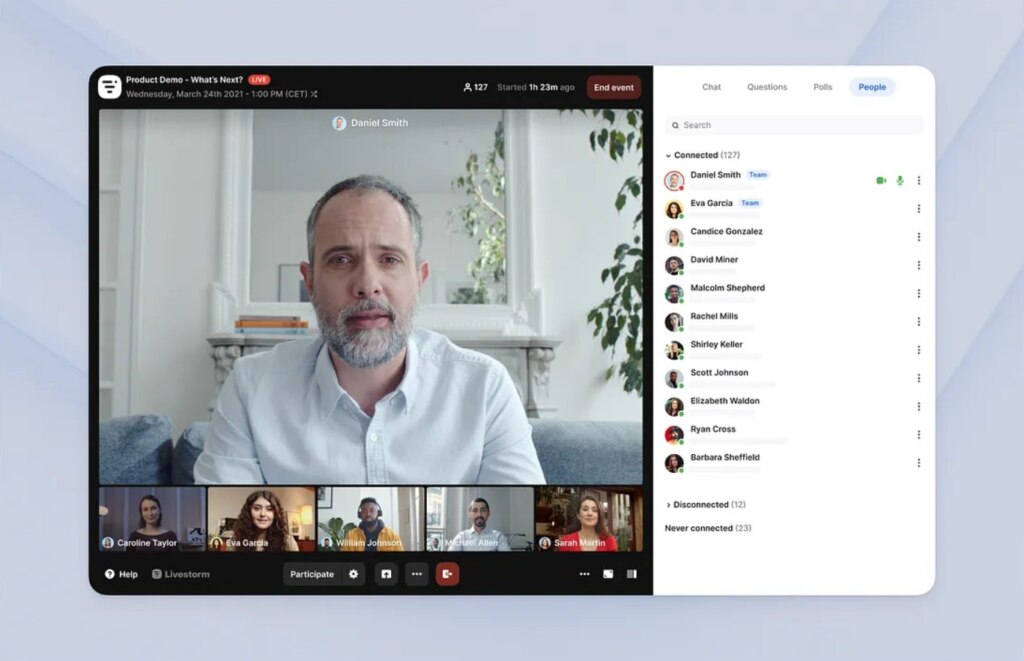
Livestorm is a browser-based webinar platform designed for simplicity, speed, and flexibility. It allows teams to run live, on-demand, and automated sessions without requiring any downloads, making it highly accessible for both hosts and attendees. Its clean interface, reliable performance, and built-in marketing integrations make it popular among organizations that want quick deployment and easy audience engagement.
Features
- Fully browser-based attendee experience with no downloads required
- Support for live, on-demand, and automated webinar formats
- Built-in engagement tools such as polls, Q&A, chat, and call-to-action buttons
- Integrations with CRM and marketing automation platforms for lead management
Pros
- Quick and easy setup with minimal technical barriers for attendees
- Supports multiple webinar formats from a single platform
- Reliable performance and simple workflows for marketing teams
Cons
- Less advanced in first-party behavioral data capture and AI-driven content repurposing compared to ON24
- May not scale as efficiently for enterprise-grade requirements or advanced analytics needs
Demio
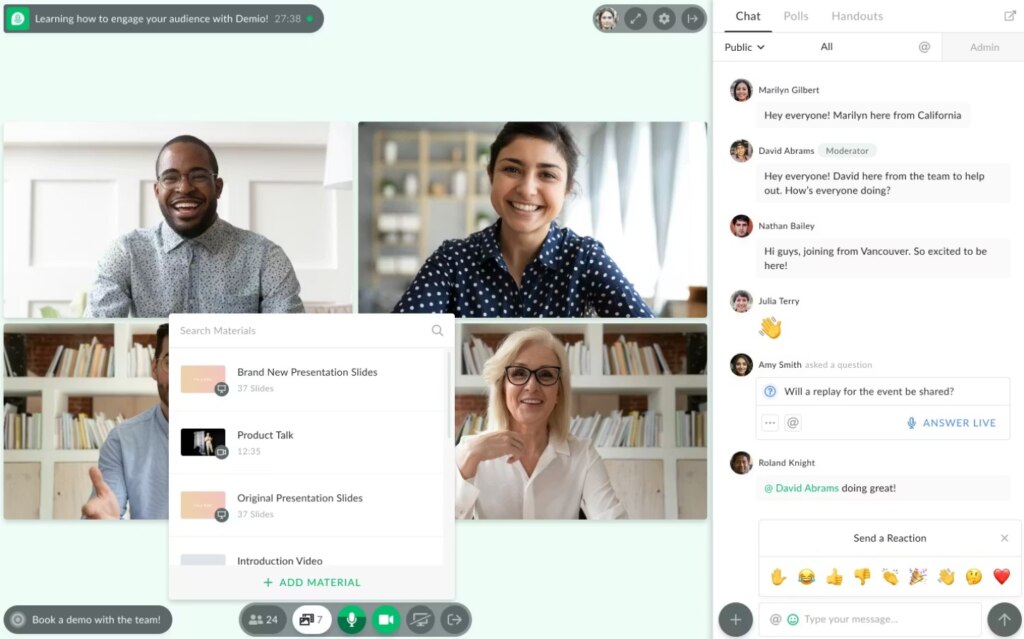
Demio is a browser-based webinar platform built for marketing and sales teams that need an easy, reliable way to host engaging sessions. It focuses on simplicity, accessibility, and automation, offering the essential tools to create interactive experiences without heavy technical setup. Demio’s clean interface and marketing-friendly features make it a strong fit for small to mid-sized teams running recurring webinars or lead-generation campaigns.
Features
- Engagement tools including chat, polls, featured actions, and downloadable handouts
- Built-in analytics to track attendee participation and engagement levels
- Custom branding options for webinar rooms, registration pages, and email communications
- Automated webinar capabilities for recurring or always-on sessions
Pros
- Simple, intuitive interface tailored for marketers and small teams
- Streamlined setup process that minimizes the need for technical support
- Solid functionality for recurring webinars and mid-market campaigns
Cons
- May require supplementary tools for complex workflows or larger-scale events
- Limited focus on advanced content journey orchestration and AI-driven content repurposing compared to ON24
GoTo Webinar
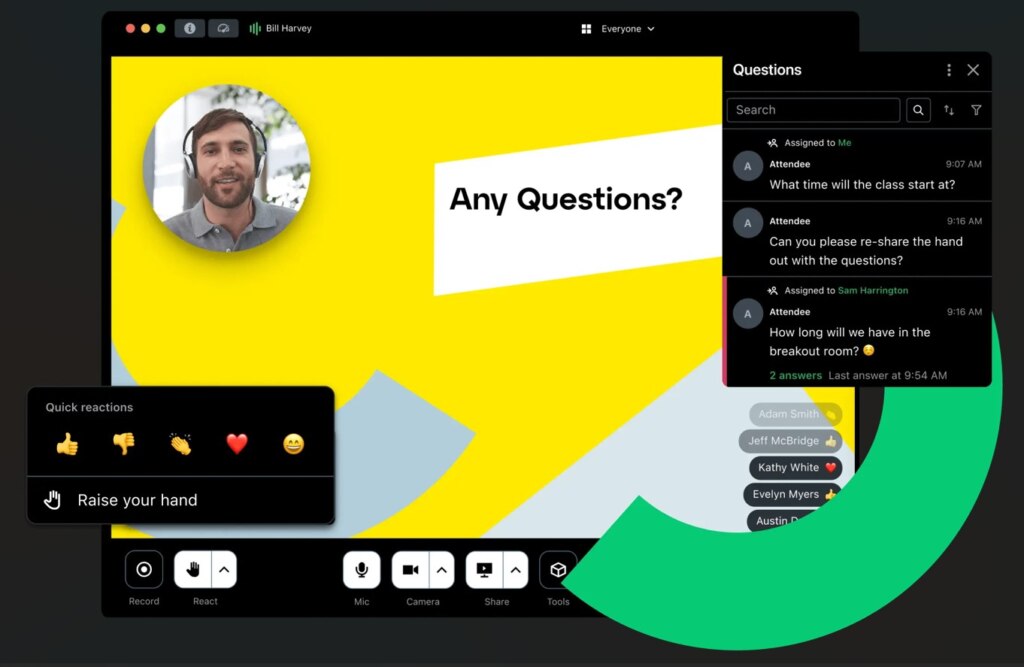
GoTo Webinar is one of the most established platforms in the webinar space, trusted by businesses for hosting reliable, large-scale corporate webinars. Known for its stability and consistent performance, it provides organizations with the essential tools needed to deliver professional online presentations and training sessions. Its focus on reliability and reporting makes it a dependable choice for corporate communications and internal events.
Features
- Support for large audiences with both live and pre-recorded webinar options
- Engagement tools including polls, Q&A, and post-event surveys
- Comprehensive analytics and reporting for attendance, participation, and performance tracking
Pros
- Proven reliability and stability for enterprise and corporate webinars
- Scalable platform capable of handling large audiences
- Mature infrastructure with strong uptime and performance history
Cons
- Less focused on marketing automation, personalization, and AI-driven content repurposing compared to ON24
- User experience and interface may feel dated compared to newer, more modern webinar tools
eWebinar

eWebinar is built for organizations that want to deliver webinars on autopilot without losing audience engagement. It specializes in automated and evergreen formats, blending pre-recorded content with interactive, live-style elements such as chat and polls. This makes it ideal for teams that want to scale training, onboarding, or marketing sessions without the need for real-time presenters.
Features
- Pre-recorded webinars enhanced with chat, interactive features, and flexible scheduling options
- Automated, recurring, and on-demand delivery formats for continuous engagement
- Engagement analytics and attendee tracking to measure participation and performance
Pros
- Perfect for running webinars continuously with minimal live involvement
- Offers an interactive experience that simulates live sessions for attendees
- Streamlines repetitive webinars such as product demos or onboarding sessions
Cons
- Less suitable for live, highly interactive or large-scale events
- Limited marketing integration and first-party data depth compared to ON24
Crowdcast
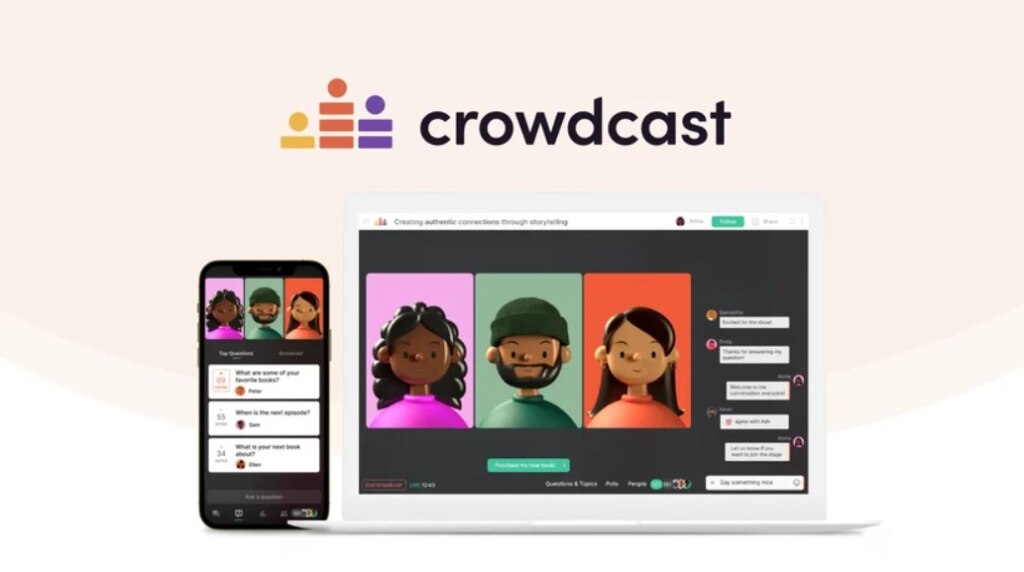
Crowdcast is designed for creators, educators, and community-driven brands that want to prioritize accessibility and interactivity. It enables hosts to run engaging live sessions directly from a browser and broadcast simultaneously to multiple platforms such as YouTube, Twitch, and Facebook. With built-in registration and notification tools, Crowdcast simplifies setup while fostering strong audience connection through its community-focused approach.
Features
- Browser-based live video streaming with HD quality and minimal setup
- Built-in registration pages, landing pages, and attendee notifications
- Multi-streaming capabilities to external platforms such as YouTube and Twitch
Pros
- Excellent for creator-led sessions, community events, and multi-platform reach
- Strong engagement tools that encourage real-time participation and audience interaction
- Simple, browser-based access for both hosts and attendees
Cons
- Less emphasis on enterprise-grade marketing features such as first-party data capture and CRM integration compared to ON24
- Limited scalability and analytics depth for large or data-intensive webinar programs
Kaltura
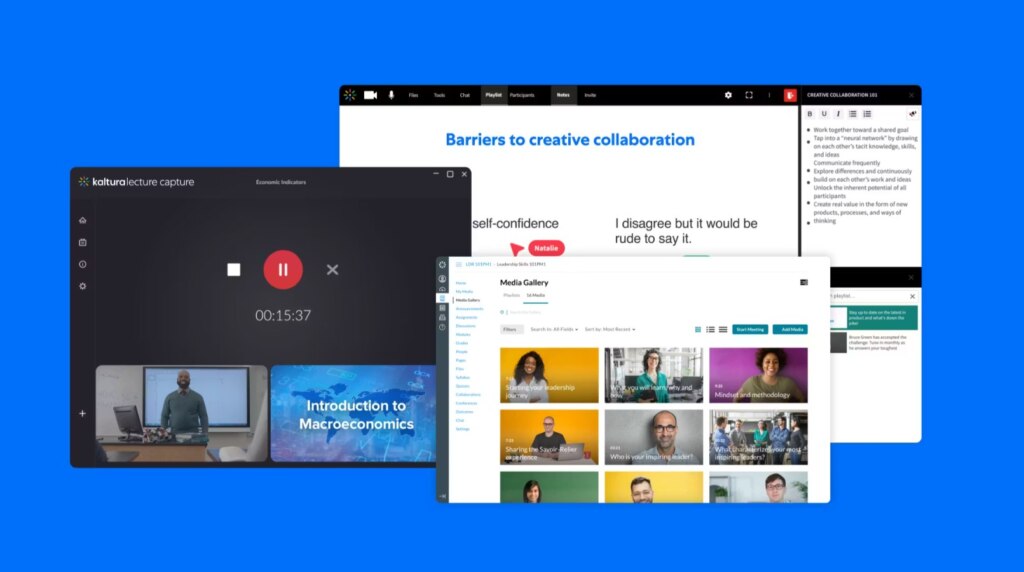
Kaltura is an enterprise video and webinar platform widely used across education, training, and corporate communications. It combines live and on-demand video capabilities with content management, analytics, and customization features that make it well-suited for organizations delivering structured learning or training programs. Kaltura’s flexibility and scalability make it a strong choice for teams prioritizing content delivery and educational engagement at scale.
Features
- Fully branded mini-sites and VOD landing pages for hosted webinar content
- Interactive tools including polls, votes, ratings, reactions, and live chat
- Panelist support and analytics designed for large-scale events and recurring sessions
Pros
- Proven expertise in training, education, and enterprise video delivery
- Ideal for organizations that require learning management or certification workflows
- Scalable platform capable of supporting large, global audiences
Cons
- Focused more on education and training workflows than marketing automation or content-journey use cases
- Less developed in AI-driven content repurposing and marketing system integrations compared to ON24
ClickMeeting
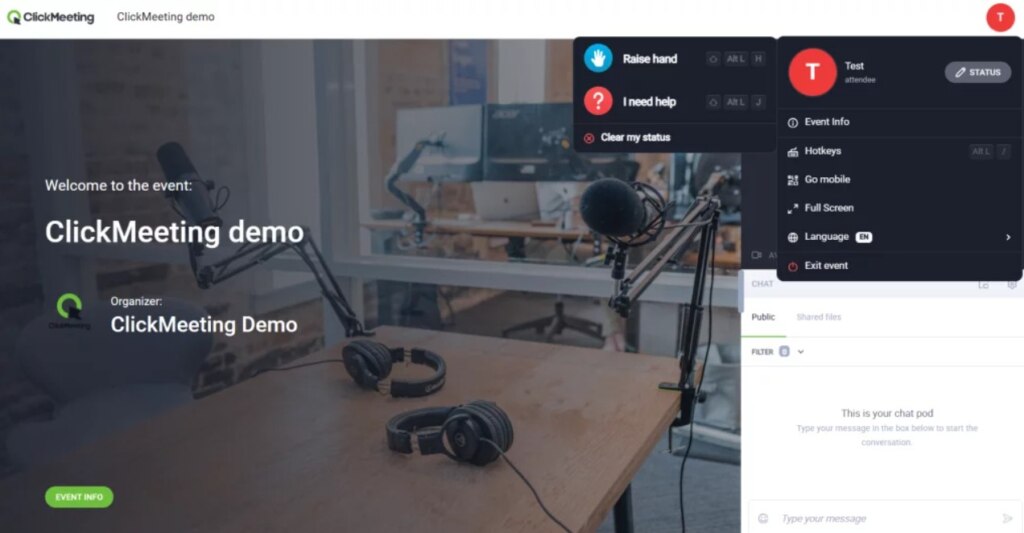
ClickMeeting is a straightforward webinar platform built for ease of use and consistency. It allows teams to set up recurring webinars quickly, stream directly to social channels, and manage registration with minimal technical overhead. Designed for small to mid-sized organizations, ClickMeeting focuses on simplicity, accessibility, and dependable performance rather than complex integrations or automation.
Features
- Customizable broadcast rooms with live streaming to YouTube and Facebook
- Built-in chat, Q&A, and support for unlimited landing pages
- Scheduling options for recurring webinars and automated sessions
Pros
- Ideal for organizations running regular webinars with simple setup requirements
- Direct integration with social streaming platforms for broader reach
- Reliable and easy-to-use interface suitable for non-technical teams
Cons
- Limited functionality for first-party data capture and marketing system integration compared to ON24
- May not scale effectively for enterprise-level programs or advanced content-journey management
Contrast
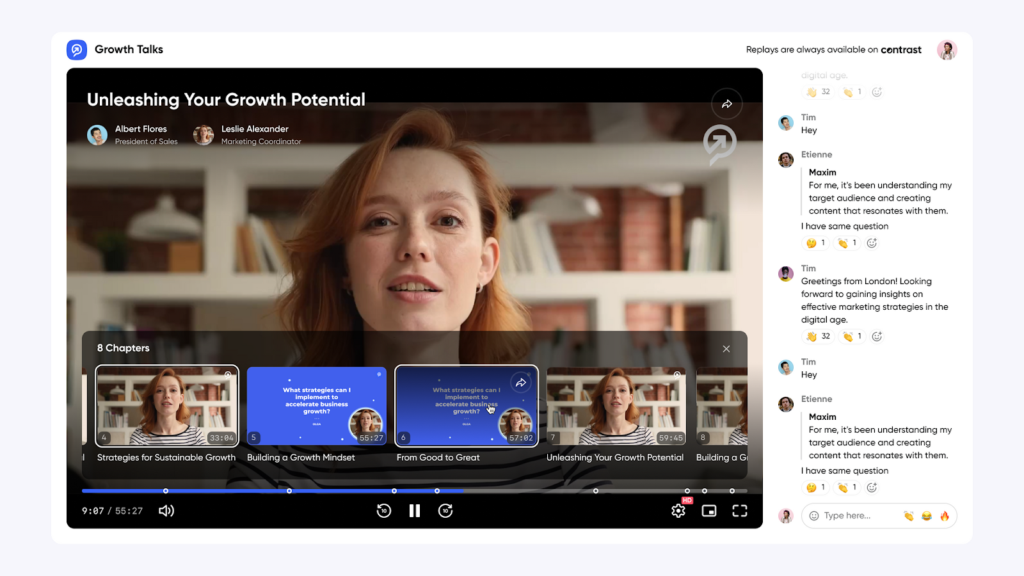
Contrast is a webinar platform designed with a strong emphasis on engagement, interactivity, and user experience. It blends sleek design with practical marketing integrations, making it a good choice for teams that value modern presentation and easy participation. Contrast helps marketers run engaging live and on-demand webinars that feel contemporary and audience-centric.
Features
- Interactive user interface with engagement metrics and participation tracking
- Browser-based access supporting both live and on-demand formats
- Integrations with popular marketing tools for streamlined lead management
Pros
- Modern, intuitive interface designed to keep audiences engaged
- Strong focus on user experience and design quality
- Suitable for marketing teams prioritizing engagement and visual impact
Cons
- Less depth in enterprise-level data capture, integrations, and content repurposing compared to ON24
- May require additional tools to achieve full content-journey automation and advanced analytics
Vimeo
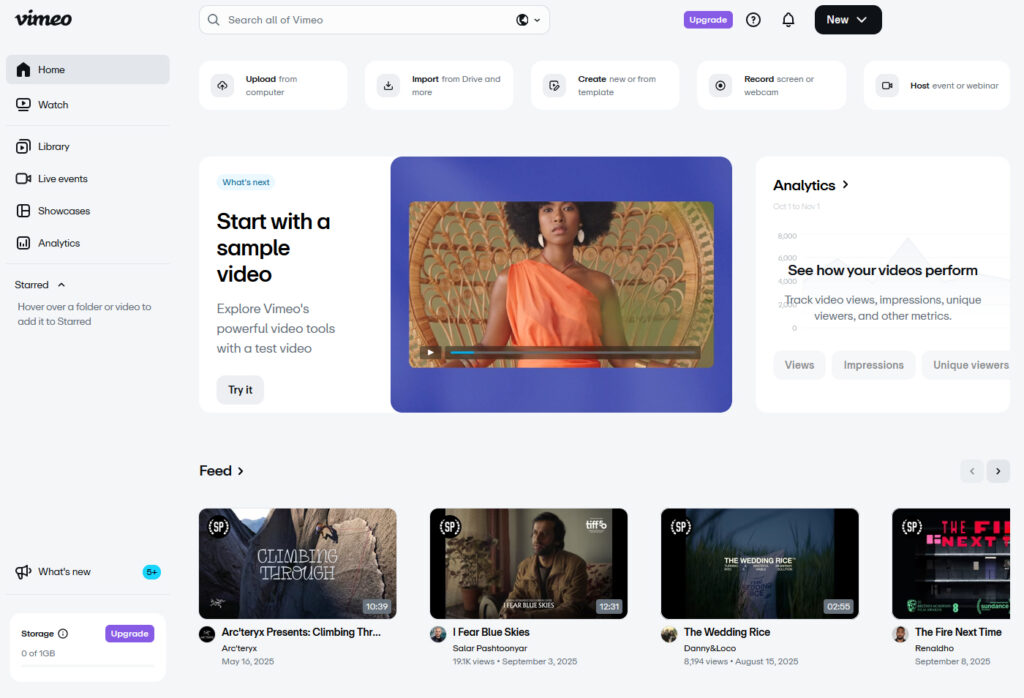
Vimeo extends its trusted video platform into the webinar space, offering a solution that prioritizes streaming quality, brand presentation, and reliability – all with the boost that comes with a familiar name. It combines professional-grade video infrastructure with interactive tools and integrations, making it ideal for organizations that value visual polish and stable performance.
Features
- High-definition livestreaming supported by backup and monitoring tools for broadcast stability
- Engagement features including chat, polls, Q&A, and customizable registration and email options
- Integrations with marketing tools and analytics platforms for post-event tracking
Pros
- Exceptional video and streaming quality for professional presentations
- Reliable and trusted technology infrastructure used by creative and enterprise teams
- Strong visual customization options for maintaining brand consistency
Cons
- Less advanced in marketing automation and first-party behavioral data capture than ON24
- Prioritizes video production and presentation over complete engagement-journey orchestration
Zoho Webinar
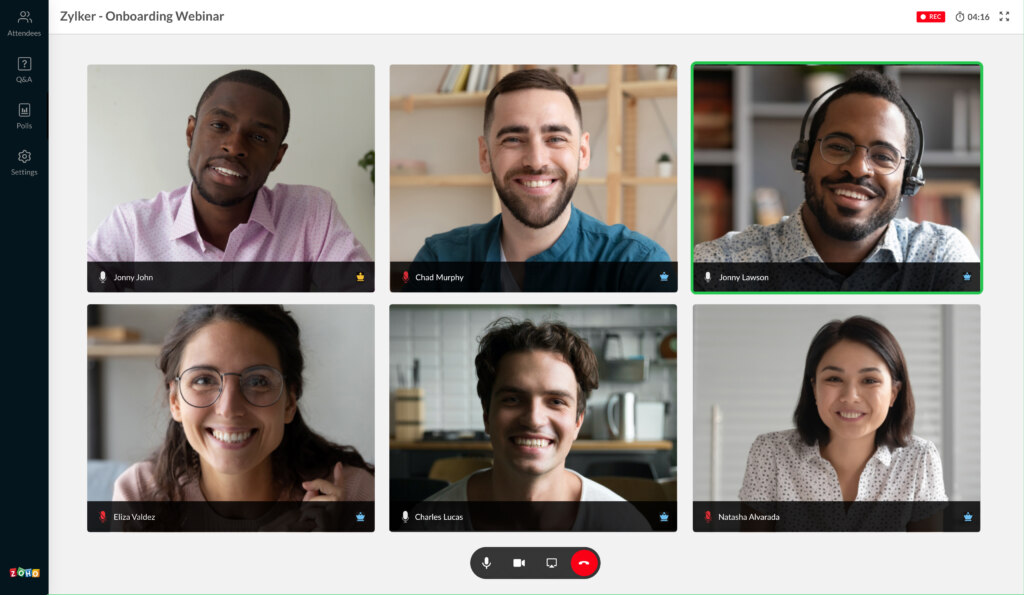
Zoho Webinar is one part of a wider Zoho ecosystem, which includes CRM, marketing, and sales automation tools. It offers an accessible and cost-effective option for teams already using Zoho products, allowing them to run webinars directly within the same environment they manage customer data and marketing campaigns. The platform provides the essentials for hosting live webinars with built-in engagement and analytics tools.
Features
- End-to-end webinar management, including registration, attendee tracking, and analytics within the Zoho ecosystem
- Native integration with Zoho CRM and Zoho Marketing for seamless data flow
- Engagement tools such as live polls, Q&A, and chat for audience participation
Pros
- Ideal for organizations already invested in the Zoho suite, ensuring unified data management
- Simplifies workflows through built-in integration with CRM and marketing modules
- Cost-effective entry point for small to mid-sized businesses
Cons
- Webinar-specific features and customization options may be more limited than enterprise platforms like ON24
- Restricted capabilities in content-journey automation, first-party data depth, and AI-powered content repurposing
WebinarNinja
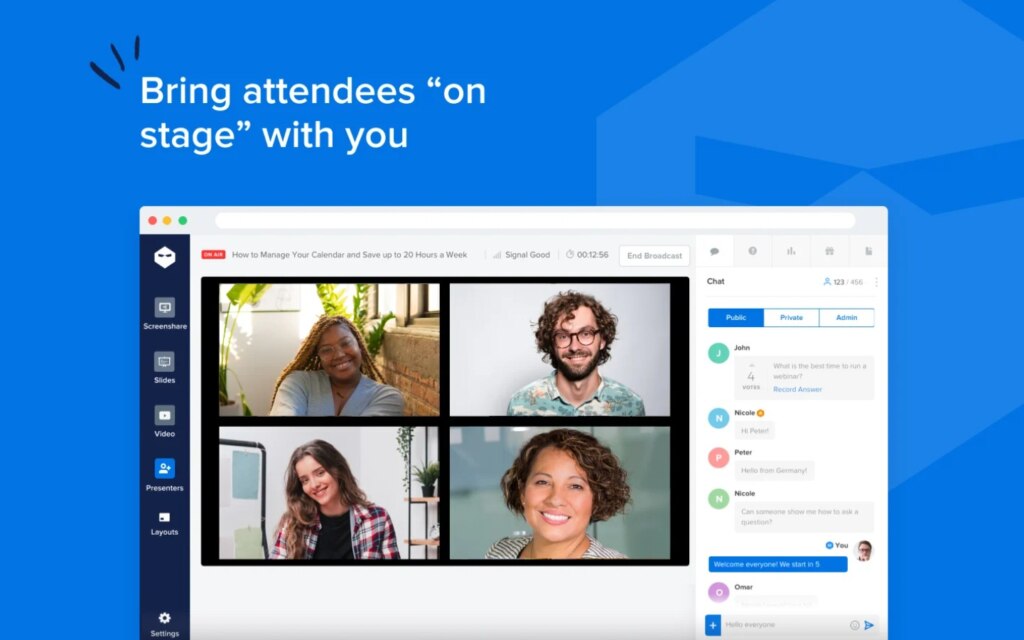
WebinarNinja is a simple, creator-friendly webinar platform designed for mid-market teams and independent professionals who want an easy way to host live or automated sessions. It focuses on usability and quick setup, offering all the core features needed to run professional webinars without complex configuration. Its intuitive design makes it particularly appealing for marketers, educators, and small businesses.
Features
- Support for live and pre-recorded webinar formats
- Custom registration pages, automated email follow-ups, and interactive attendee features
- Streamlined setup focused on accessibility and mid-market needs
Pros
- Extremely user-friendly, making it accessible for creators and small to mid-sized teams
- Offers flexible webinar formats and automation for ongoing engagement
- Good balance of simplicity and essential marketing functionality
Cons
- Limited in enterprise-level data capture and marketing automation integrations compared to ON24
- Less advanced analytics and AI-driven content repurposing features for larger, data-intensive programs
RingCentral Events
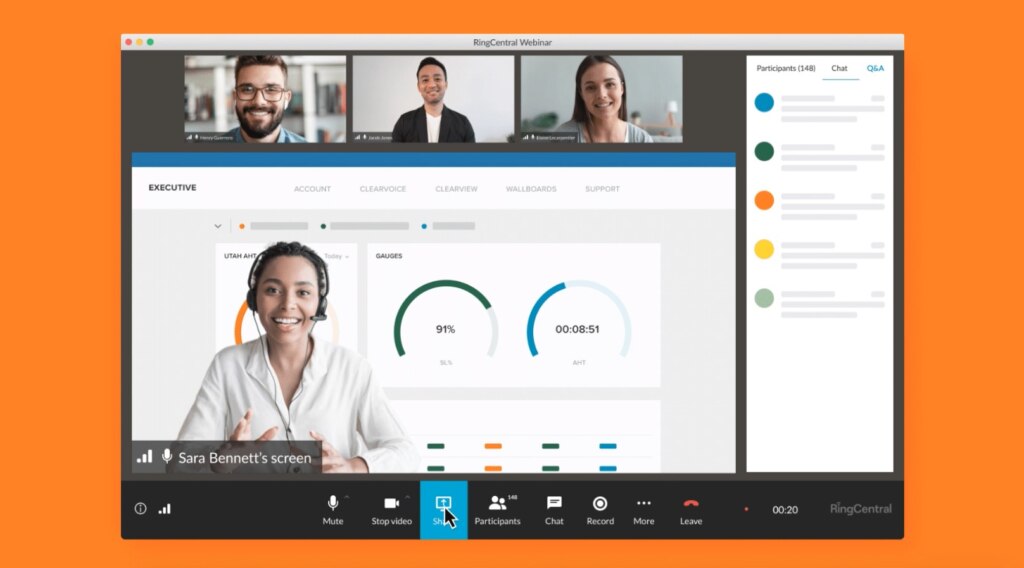
RingCentral Events is a hybrid event platform designed to deliver immersive virtual and in-person experiences with strong networking and engagement capabilities. Its webinar functionality sits within a broader event ecosystem that supports multi-session programs, making it ideal for organizations running conferences, summits, or community events that blend live presentations with attendee interaction.
Features
- Multi-track sessions, networking lounges, and breakout rooms for interactive participation
- Webinar functionality integrated into a comprehensive hybrid and virtual event platform
- Registration management, audience behavior tracking, and analytics for event insights
Pros
- Excellent for hybrid events that combine webinars, multi-session programs, and networking opportunities
- Strong attendee experience design and engagement-focused features
- Scalable platform suitable for both virtual and in-person components
Cons
- Webinar functionality is less specialized for marketing automation, first-party data capture, and AI-driven content repurposing compared to ON24
- Implementation can be complex for organizations that primarily need a focused webinar solution
Adobe Connect
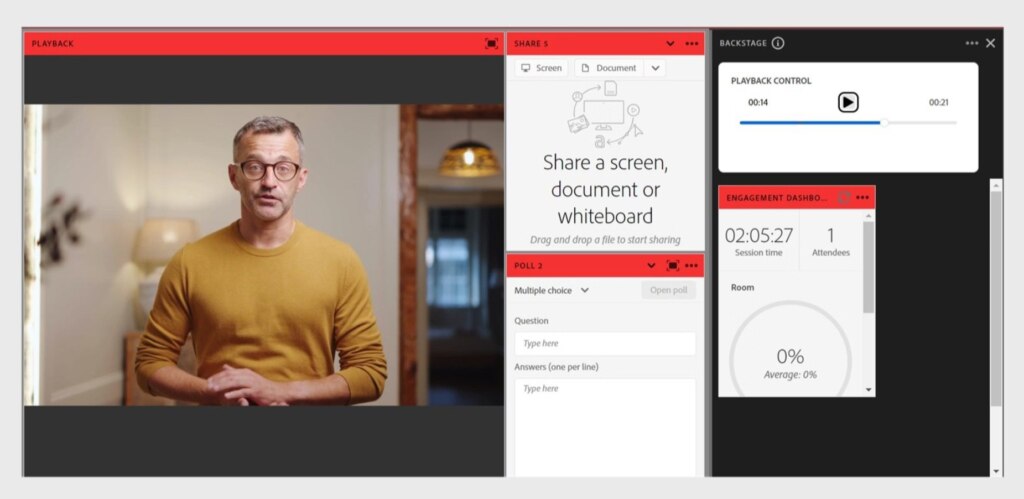
Adobe Connect is a long-established webinar and remote-training platform designed for education, enterprise communication, and learning environments. It provides an interactive, customizable space for presenters and attendees through its distinctive “pods” interface, enabling collaboration and engagement during live or recorded sessions.
Features
- Pods-based architecture for chat, whiteboards, polling, and breakout rooms
- Customizable room layouts with persistent content and on-demand replay capabilities
- Strong alignment with training, learning, and enterprise communication use cases
Pros
- Trusted, mature platform for training, onboarding, and collaborative webinars
- Highly flexible room design and layout customization for interactive learning
- Supports a wide range of engagement tools suited to educational environments
Cons
- Limited focus on marketing automation, first-party data, and content repurposing compared to ON24
- The user experience is oriented toward education and collaboration rather than marketing and lead generation
How to Choose the Best Webinar Software
With so many options available to choose from, it’s easy to get overwhelmed when looking for the best webinar software. The key is to focus on what truly drives value for you – be it engagement, data, integration, or scalability. Use the following steps to evaluate your choices systematically and ensure your investment supports both your immediate goals and your long-term strategy.
1. Define Your Primary Objective
Start by clarifying what success looks like for your webinars.
- Lead generation: If you want your webinars to generate leads and gather information for you to use, focus on platforms that capture first-party data and integrate seamlessly with your CRM and MAP.
- Brand awareness: Look for strong design, branding, and audience experience features. Whatever software you use, you still want your audience to associate your webinars with your brand first and foremost.
- Education or training: Prioritize interactive tools, on-demand content, and tracking of learner progress. Making the user experience as inviting as possible will go a long way.
- Internal communications: Choose a platform with reliability, breakout rooms, and enterprise-level security.
2. Prioritize Data Capture and Integration
As we’ve established, your webinar platform should be more than a broadcasting tool.
- Ensure it captures first-party behavioral data such as clicks, viewing time, poll responses, and downloads.
- Check for direct integrations with CRM, marketing automation, and ABM platforms.
- Verify that engagement insights can be synced automatically for lead scoring and sales follow-up.
3. Evaluate Engagement Features
Engagement drives retention, conversion, and content value.
- Look for polls, chat, Q&A, breakout rooms, reactions, and downloadable assets.
- Test how intuitive these tools are for both presenters and attendees.
- Assess whether engagement data is tracked and visible in real time.
4. Assess Content Journey and Repurposing Capabilities
The best webinar software extends content life beyond the live event.
- Check if the platform supports on-demand viewing, content hubs, or personalized follow-up sequences.
- Evaluate AI tools that can repurpose content into clips, blog posts, or nurture assets automatically.
- Confirm that it can orchestrate audience journeys based on past behavior and engagement.
5. Review Analytics and Reporting
Actionable insights separate modern webinar platforms from legacy ones.
- Look for reporting at the attendee, content, and account levels.
- Evaluate whether the data connects directly to pipeline metrics or conversion outcomes.
- Check if reports can be exported or integrated into your analytics dashboards.
6. Consider Scale, Reliability, and Security
As your programs grow, your platform must keep pace.
- Identify your expected audience size and confirm the platform’s capacity limits.
- Ensure global availability with stable performance across regions.
- Verify compliance with GDPR, SOC 2, and accessibility standards for enterprise readiness.
7. Evaluate Usability and Adoption
Ease of use influences both host productivity and attendee satisfaction. Here are some things to consider when looking at platform usability.
- Favor browser-based access with no downloads or plug-ins.
- Look for clear, intuitive interfaces that make setup and participation effortless.
- Review onboarding and support options to help your team adopt quickly.
8. Check Marketing Stack Compatibility
Your webinar tool should fit neatly into your existing ecosystem.
- Confirm integrations with your marketing automation, CRM, and data warehouse.
- Evaluate whether it supports API connectivity for custom data workflows.
- Ensure all engagement data can flow into your single source of truth.
9. Plan for Future Growth
Select a platform that evolves with your digital engagement strategy.
- Look for solutions that support hybrid events, virtual conferences, content hubs, and always-on experiences.
- Evaluate their AI roadmap for personalization and automation capabilities.
- Choose a vendor known for continuous innovation and scalability.
By following these steps, you’ll identify a webinar platform that not only delivers a great event experience but also powers a complete engagement strategy by capturing data, fueling content, and driving measurable business outcomes.
Choosing the Right Webinar Platform for You
Not every organization has the same goals or resources, which means the best webinar software for one team might not be the right fit for another. The key is to match your platform choice to your specific use case, audience size, and marketing sophistication. Below are some tailored recommendations based on common organizational needs.
Marketing and Demand-Generation Teams

Marketing teams focused on lead generation, pipeline acceleration, and brand engagement should prioritize platforms that combine rich first-party data capture, seamless marketing automation integration, and advanced content reuse capabilities. These teams benefit most from platforms that turn every attendee interaction into actionable intelligence and fuel post-event personalization.
Recommended platforms: ON24, Hubilo, Goldcast
Training, Certification, and Education Teams
Teams responsible for professional training or educational programs need platforms that deliver reliability, track participation, and support on-demand access for ongoing learning. The ability to analyze attendee behavior, issue certifications, and repurpose training sessions into evergreen resources is essential.
Recommended platforms: ON24, Kaltura, ClickMeeting
Small Teams, Startups, and SMBs
Smaller organizations and startups often need a solution that delivers value without technical complexity. Platforms with quick setup, browser-based access, and automation for recurring webinars can provide scalability without heavy management overhead.
Recommended platforms: Livestorm, Demio, WebinarNinja
Large Enterprises and Global Hybrid Events
Enterprises running large-scale virtual or hybrid events should look for robust, secure, and globally scalable solutions that integrate into existing IT and marketing ecosystems. These platforms must support multiple formats, advanced analytics, and enterprise-grade compliance for multinational audiences.
Recommended platforms: ON24, Cvent, Webex
Key Selection Criteria
When evaluating which platform fits best, consider the following:
- Audience size: Will your webinars reach hundreds or hundreds of thousands?
- Event frequency: Are you hosting weekly sessions or quarterly summits?
- Maturity of webinar-to-content journey: Do you plan to repurpose content across touchpoints or run one-off broadcasts?
- Marketing-tech maturity: Does your organization already use CRM, MAP, or ABM tools that the webinar platform should integrate with?
- AI and content automation: How important is AI-driven content repurposing and personalization for your strategy?
By aligning your platform choice with these factors, you’ll ensure your webinar technology doesn’t just meet your needs today, but evolves with your business tomorrow, helping you turn engagement into long-term growth.
How to Create and Host a Compelling Webinar
Running a successful webinar takes planning, precision, and purpose. Below is a simple step-by-step guide to help you create and deliver an experience that drives engagement before, during, and after your live event.
1. Choose the Right Topic and Objective
- Decide what you want your webinar to achieve. Is it lead generation, brand awareness, customer education, or a product launch?
- Select a topic that resonates with your target audience and aligns with your business goals. Clear objectives will shape your content, call-to-action, and success metrics.
2. Plan Your Content and Speakers
- Outline the flow of your webinar, from opening to closing.
- Assign clear roles for the host, moderator, and speakers.
- Build in interactive moments such as polls, live Q&A, or chat to keep attendees engaged and gather valuable behavioral insights.
- Rehearse to ensure smooth transitions and timing.
3. Have a Dress Rehearsal for Your Visuals and Tech
- Speakers rehearse, and so should your software – test everything before you go live. Check audio, lighting, camera framing, and screen sharing.
- Set up your registration and reminder emails and confirm accessibility features like captions or translation options for global audiences.
- Run a practice session to ensure your speakers are comfortable with the platform.
4. Promote Your Webinar Effectively
- Start your promotional campaign at least two to three weeks before the event.
- Use email campaigns, social media, and partner networks to reach your audience.
- Design a registration page that’s simple, visual, and clear about value.
- Send reminder emails and make it easy for registrants to add the event to their calendars.
5. Engage Your Audience Live
- Start on time and open with a strong introduction that sets expectations.
- Keep energy high and use tools like polls, chat, and Q&A to maintain attention.
- Encourage participation throughout – not just at the end.
- Use live calls-to-action to guide next steps (download resources, book demos, or visit content hubs).
6. Make Sure to Follow Up
- Send a thank-you email and the on-demand link within 24 hours.
- Segment your audience based on engagement levels (attendees, no-shows, high-engagers).
7. Repurpose Your Webinar Content
- Your webinar can be recycled into pertinent clips, articles, or social posts to extend content life.
- With ON24, AI can automatically generate summaries, highlight reels, and personalized recommendations, turning each event into a long-term content asset.
The difference between a good webinar and a great one comes down to what happens after the event has ended. A great webinar lives on, through repurposed content, automated follow-ups, and continued audience engagement.
Conclusion
In 2026, great webinars are about more than streaming. The best platforms turn every interaction into engagement, every attendee into insight, and every session into content that can drive ongoing results.
ON24 leads this transformation. Built on first-party data, fully integrated with your marketing and sales tech, and powered by AI for content reuse, ON24 helps you turn webinars into measurable growth.
Ready to transform your webinars into data-driven revenue engines? Explore an ON24 demo and see how your next event can deliver lasting impact.
When every interaction becomes intelligence, every audience becomes a sea of opportunity.
Frequently Asked Questions
What is a webinar platform and how does it work?
A webinar platform is software that lets you host live or pre-recorded online events where presenters share video, slides or demos with an audience. It includes engagement tools like chat, polls and Q&A, plus registration management, analytics and integrations with marketing and sales systems. Modern platforms also capture first-party data and help repurpose content into clips or articles.
Can webinar software be used for on-demand or evergreen sessions?
Yes. Many webinar platforms, including ON24, support on-demand and evergreen formats. You can record a live event and make it available for replay or set up automated sessions so audiences can watch anytime.
How do I choose the best webinar platform for my business?
Start by defining your main goal such as lead generation, customer education or brand awareness. Then compare platforms based on usability, engagement tools, integrations, analytics, scalability and content repurposing. If your team depends on marketing data and personalization, choose a platform that captures first-party data and integrates seamlessly with your CRM or MAP.
What features should I look for in webinar software?
Look for browser-based access, strong engagement tools like polls and Q&A, first-party data capture, deep integrations, AI-driven content repurposing, and reliable performance at scale. Together these features ensure your webinars run smoothly and deliver lasting value.
What is first-party data and why does it matter in webinars?
First-party data is information collected directly from attendees during webinars, such as registration details, viewing time and poll responses. It’s valuable because it shows intent and can be used to personalize follow-ups, power lead scoring and replace reliance on third-party cookies.
How can I increase engagement during my webinars?
Use polls, chat and live Q&A to keep people participating. Encourage reactions and include interactive calls to action throughout the session, not just at the end. Real-time analytics from platforms like ON24 can help you see what’s working and make adjustments as you go.
How can I promote my webinar effectively?
Promote your webinar a minimum of two to three weeks ahead of time. Using email, social media and partner channels. Build a clear, benefit-driven landing page and send timely reminder emails before the event. Using a consistent visual identity and clear value proposition in your promotional material can improve registration rates.
How can I make webinars accessible for global audiences?
Select a platform that supports captions, translations and time zone–friendly scheduling. ON24 includes accessibility and localization features so every participant can join easily, wherever they are.
Can webinar content be reused or repurposed?
Absolutely. Recorded sessions can be turned into highlight reels, blog posts or social content. ON24 uses AI to generate summaries, clips and personalized recommendations automatically so every webinar keeps delivering value long after it’s over.
How do I measure the success of a webinar?
Track metrics such as registration-to-attendance rate, watch time, engagement score, poll participation and influenced pipeline. Platforms like ON24 also link engagement data directly to revenue to show clear ROI.
Are webinar platforms secure and compliant with privacy laws?
Enterprise-grade webinar software is built with compliance in mind. ON24, for example, meets GDPR and SOC 2 standards and provides enterprise-level data encryption and access controls.
How is AI changing webinars?
AI helps automate content creation, analyze engagement and personalize follow-ups. ON24 uses AI to generate event summaries, automatically translate content, highlight key moments and recommend next steps based on attendee behavior.